Know what’s next.
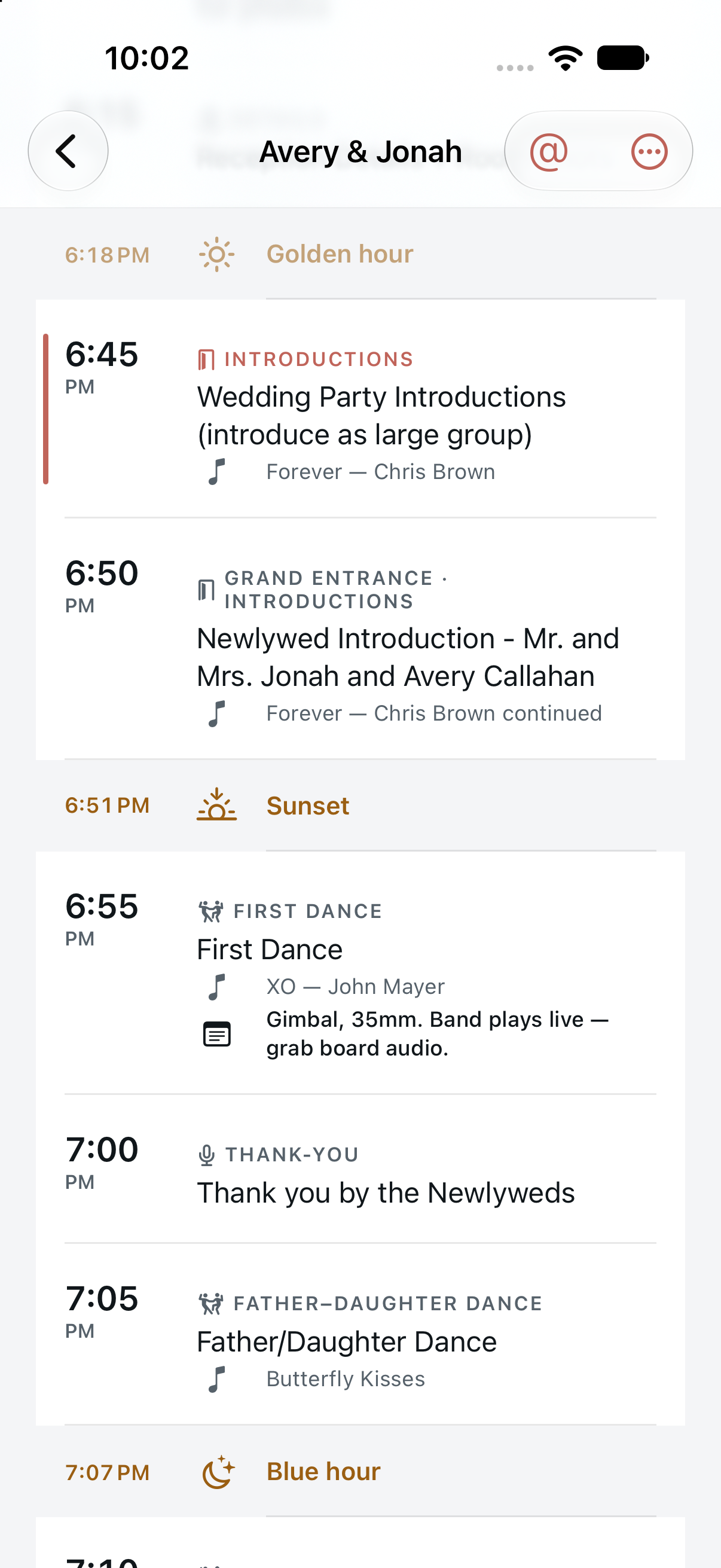
Countdowns for the next moment, plus widgets and a Live Activity to keep the schedule close on your Home Screen, Lock Screen, and Dynamic Island.

Timeline by BSR
For Wedding Filmmakers and Photographers
The planner’s timeline has a bunch of moving parts. Turn their document into a clean shooting schedule, with what’s next always in view.
Native iPhone app · iOS 18 and later

Live Activity · Timed to the second
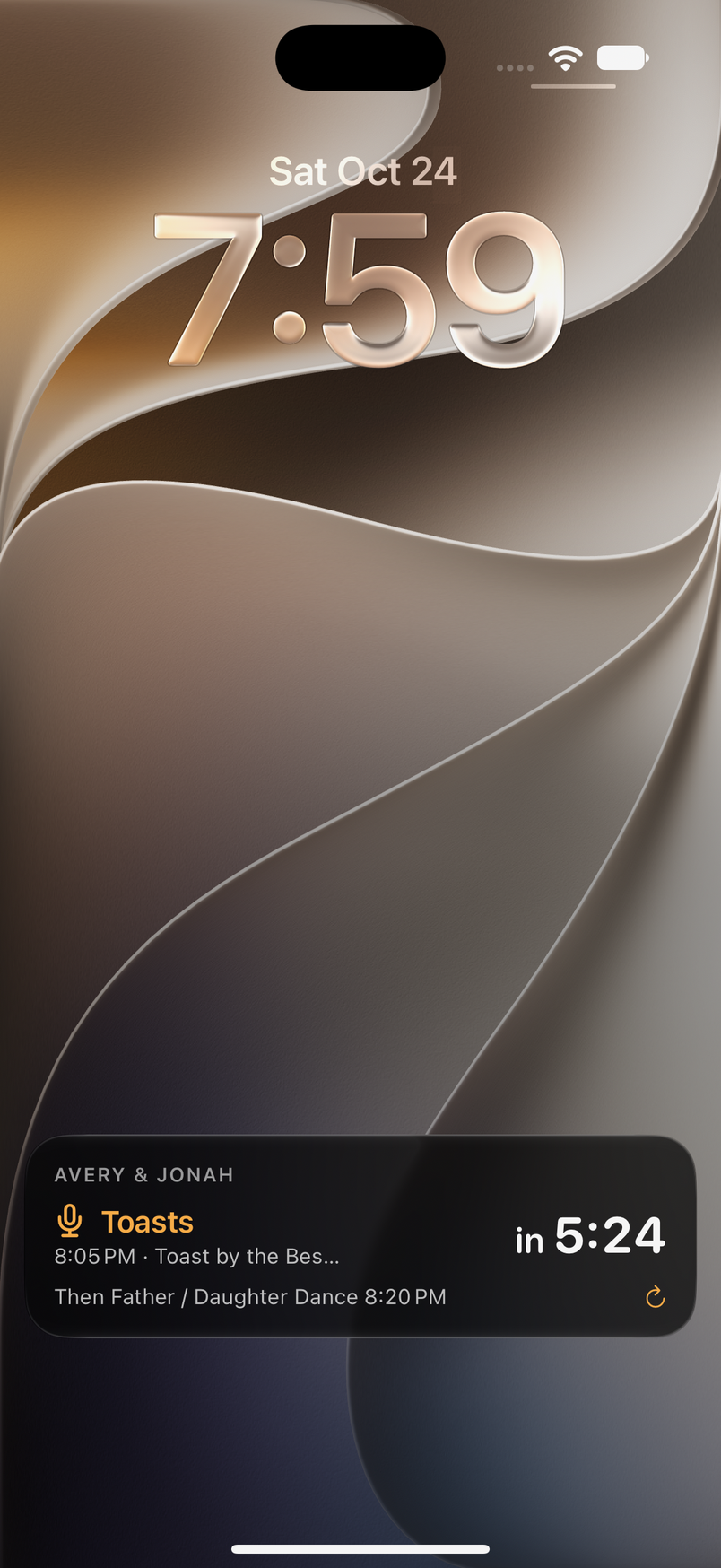
Start a Live Activity and the next moment counts down on your Lock Screen, in the Dynamic Island and on Apple Watch. No unlocking, no scrolling the planner’s PDF, no missing the best man’s first line.
Less scrolling. More shooting.
All the context stays.
Only the view changes.
Import the planner’s file from Mail, Messages or Safari, choose a screenshot, or paste the text from an email.
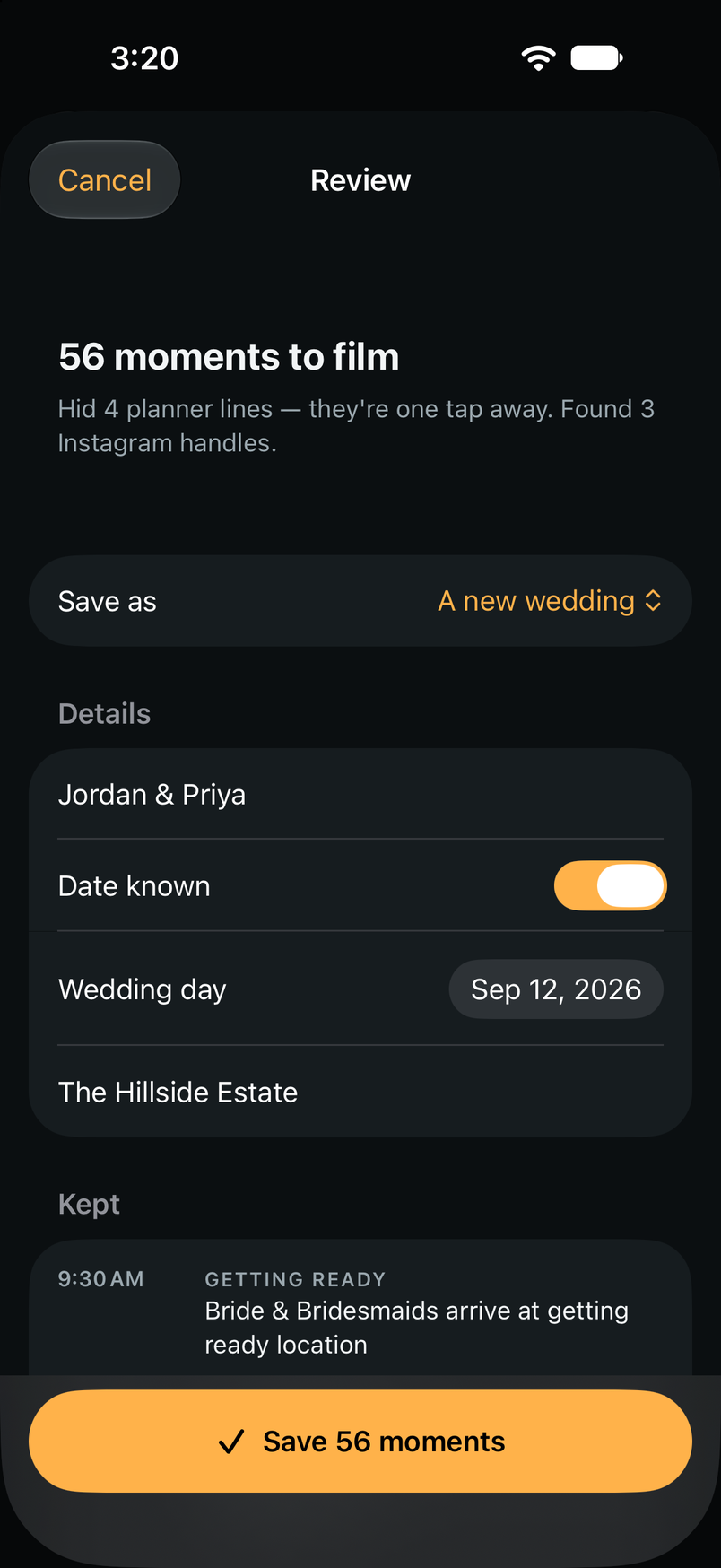
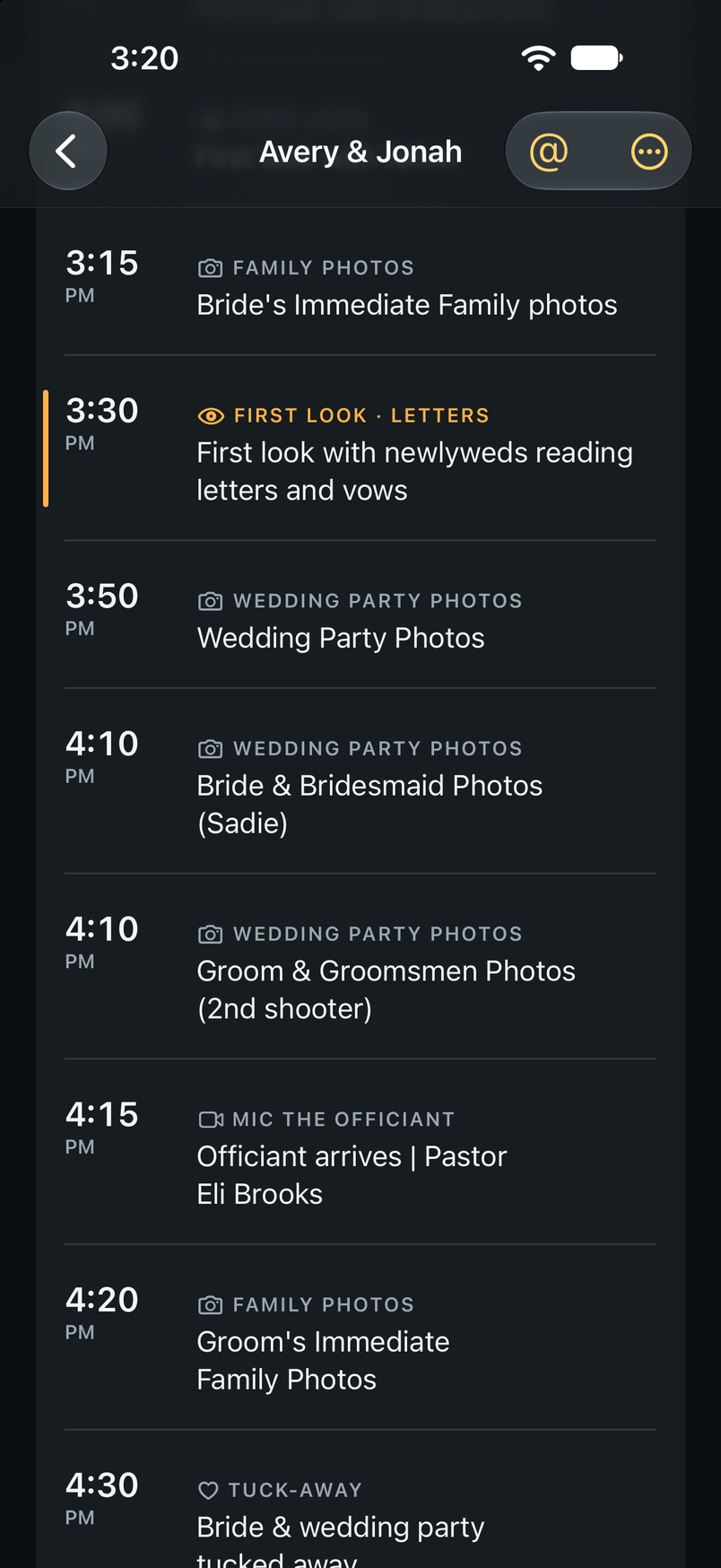
Review what’s kept and hidden before saving. Prep, first look, ceremony, toasts, dances, send-off — ready to shoot.
Follow the countdown, add a quick note, and mark a moment done. The original plan is always there when you need it.
Wrenmoor & Pine Events
Timeline
Avery & Jonah
October 17th, 2026
SATURDAY, OCTOBER 17TH
VENDOR INFO:
Ceremony and Reception Venue: The Hillside Estate (901 Moseley Road, Cross Roads, TX 76227)
- Where to park: Vendor parking located in the small lot on the left side of the building when looking at the front door. All vendors must load in through the vendor loading door.
- Access time: 9am
- Planner: Wrenmoor & Pine Events @wrenmoorandpine
- Photographer: Sadie Rowe @sadierowephoto
- Florals: Wild Fern Florals @wildfernflorals
- Hair & Makeup: Glow Studio @glowstudiobeauty
- Videographer: BSR Wedding Films @bsrweddingfilms
- DJ: Spin Theory DJs @spintheorydjs
- Catering: Harvest Table Catering @harvesttablecatering
- Venue Instagram: @thehillsideestate
Vendor Expectations: Vendors are responsible for reviewing timelines, contracts and questionnaires prior to the wedding day. The most up to date information is found in this timeline, so please follow it.
Guest Count: 160
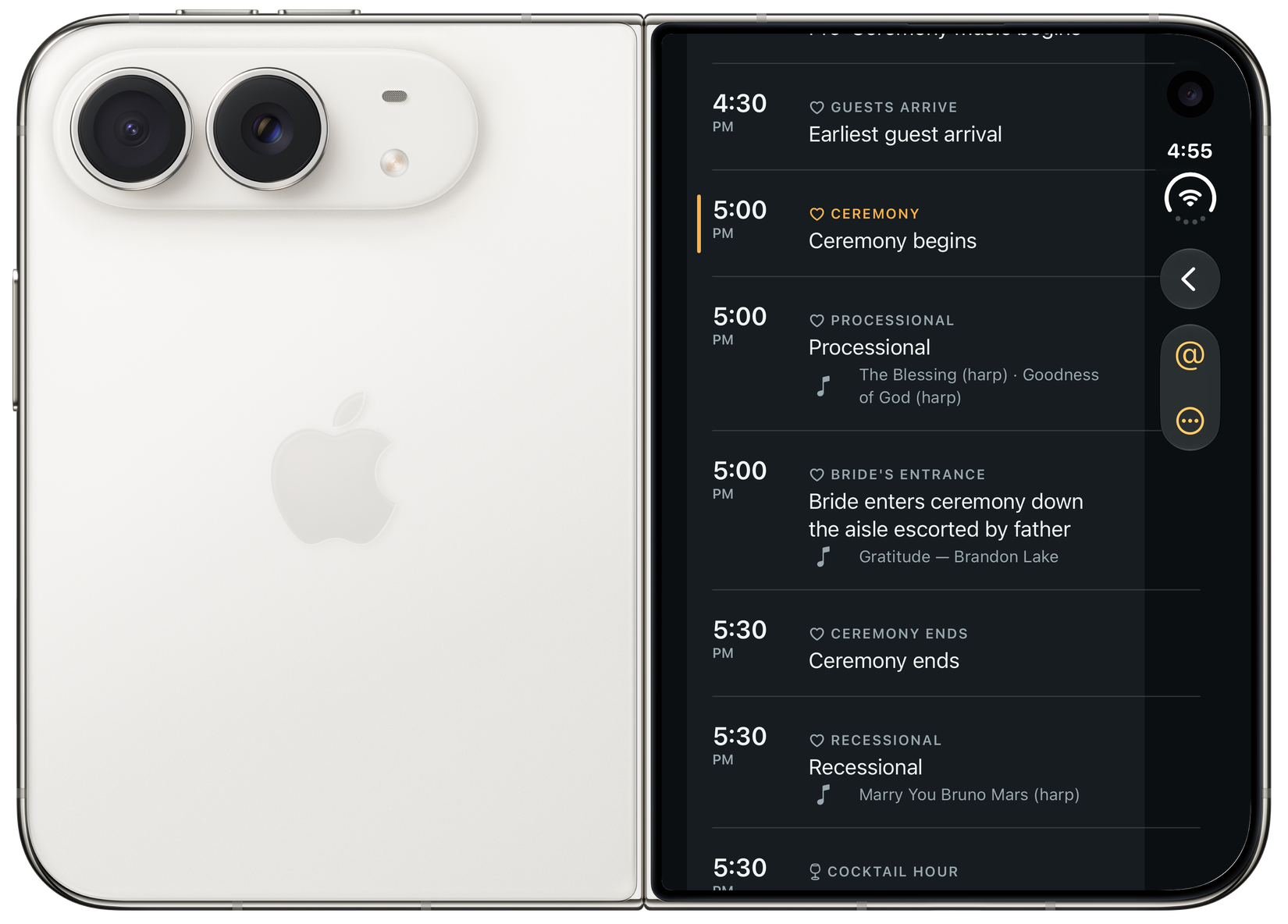
iPhone Duo
On iPhone Duo, Timeline moves its controls to a slim bar at the side, so the schedule fills the outer display — what’s next, the songs, the moments that follow.
Made for the way a wedding moves
Countdowns for the next moment, plus widgets and a Live Activity to keep the schedule close on your Home Screen, Lock Screen, and Dynamic Island.
Golden hour, sunset, and blue hour sit right in the schedule, calculated for the venue and date. Open the day in Sun by BSR to plan further.
Instagram handles are pulled out of the document. Copy one, copy them all, or copy a credits list when it’s time to share the film.
A song title, a mic reminder, a different getting-ready location. Keep notes with the moment, and open the original document for the full picture.
Timeline reads and sorts documents on your iPhone, including text recognition in photos. Importing works offline. Looking up a venue or opening Maps may need a connection.
They stay in the timeline. Review the hidden items and bring them back whenever you need them. Imported files are also kept so you can check the planner’s original.
A timeline can include multiple days, such as a rehearsal dinner. Late-night moments after midnight stay with the wedding, and times use the venue’s time zone.
Timeline is in App Store review. There isn’t a public download yet. Follow the Development page for its release status, or get in touch with a question.

Built by Brian Rossen, a wedding filmmaker
Part of the BSR family of tools for filmmakers and photographers.