· iPhone
Timeline by BSR
For wedding filmmakers and photographers. It turns the planner's timeline into a clean shooting schedule, with what's next always in view.
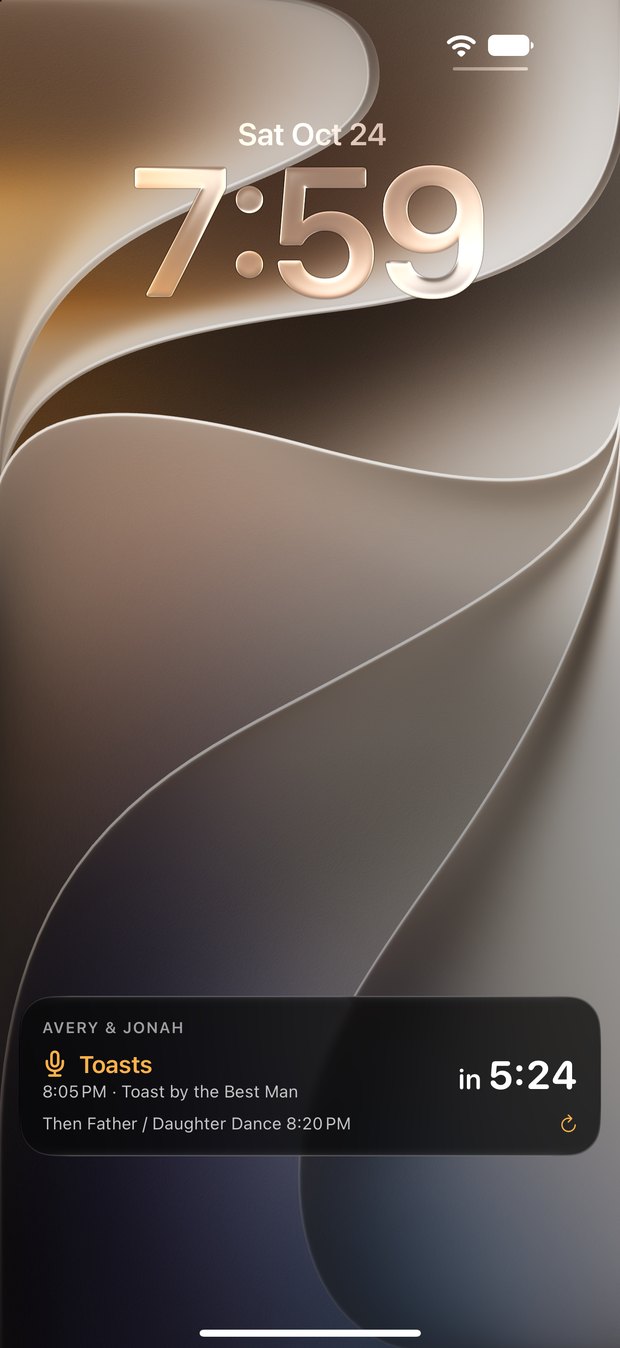
I used Timeline at a recent wedding with my buddy Kris, and having a live countdown on the Lock Screen was super handy. One look at my phone showed what was coming up next.
What it is
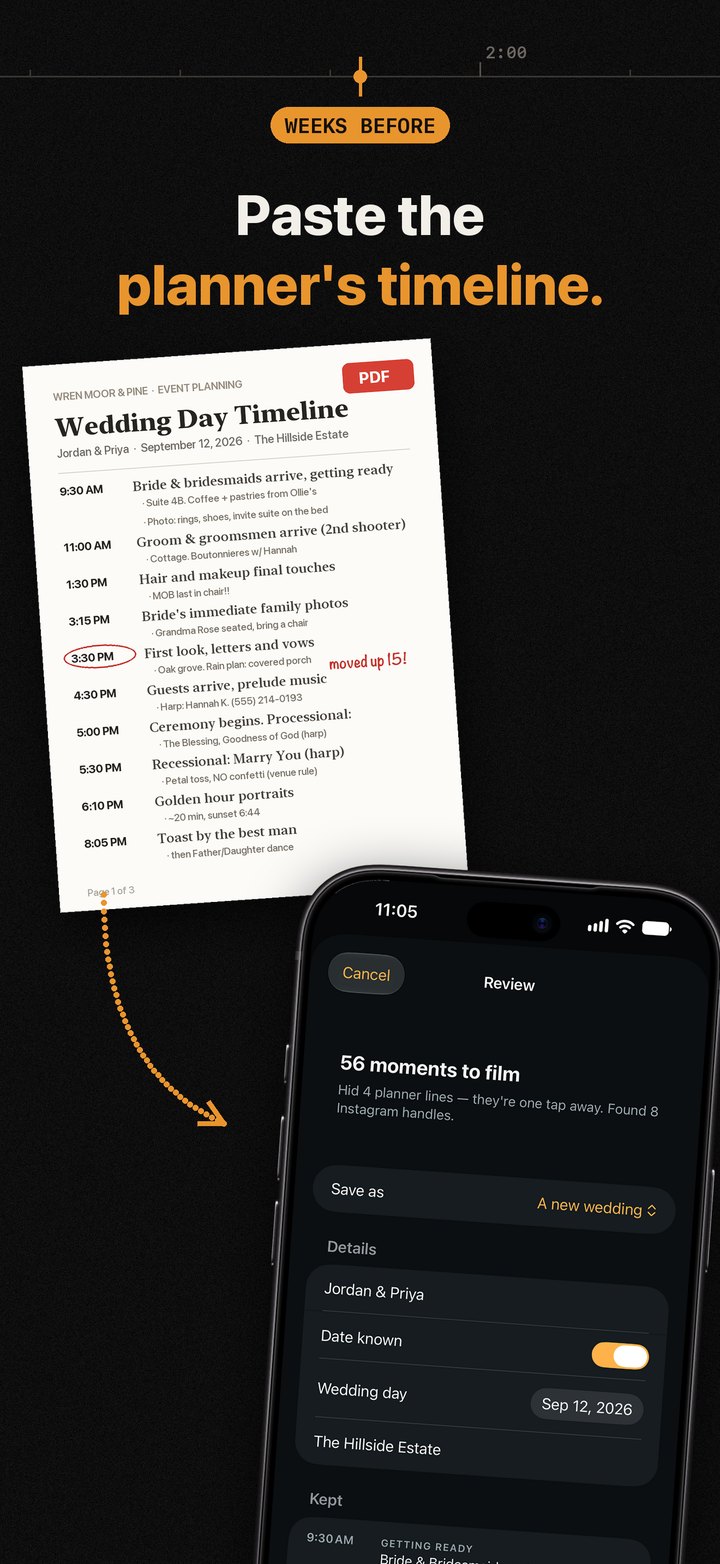
A planner's timeline has a lot of moving parts: vendor arrivals, venue notes, seating, load-in. Timeline reads the document they sent and pulls out the moments you film, like getting ready, the first look, the ceremony, toasts, dances and the send-off.
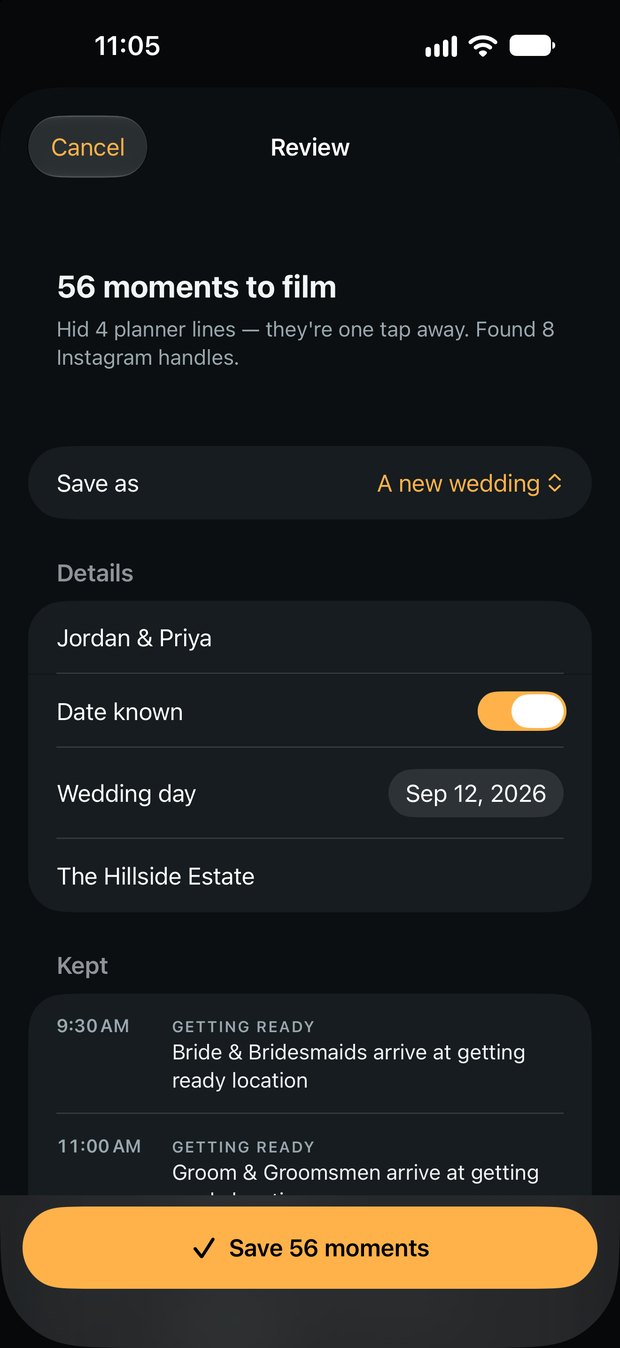
Bring in a PDF from Mail, Messages or Safari, a Word or Excel file, a screenshot, or text pasted from an email. Before anything is saved you see what was kept and what was tucked away, and the planner's lines are always one tap away.
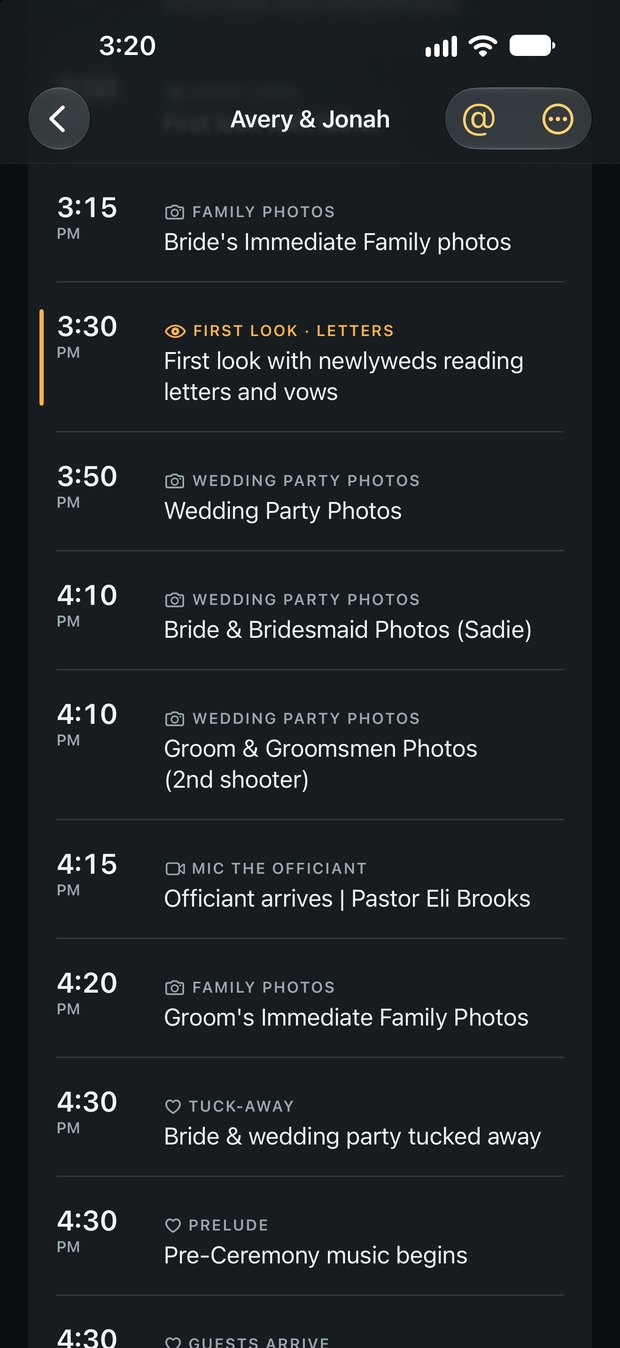
On the day, the next moment counts down at the top. Start a Live Activity and it counts down on your Lock Screen, in the Dynamic Island and on Apple Watch too, down to the second. Golden hour and sunset are worked out for the venue, and every Instagram handle in the timeline is ready to copy for tagging.
Why I built it
I'm a wedding filmmaker. The planner's timeline is written for everyone working the wedding, so the moments I film sit in between valet hours, vendor meals and the seating chart. I wanted their plan seen from my side: just what I'm shooting next, and how long until it starts.
How I built it
Timeline is a native iPhone app written in SwiftUI. Everything happens on the phone: PDFs, Word and Excel files are read on the device, and screenshots are read with Apple's text recognition, so the planner's document never leaves your phone.
Every planner lays out a timeline differently, so I tested the importer against real planner timelines from past weddings until it kept the moments that matter and set the logistics aside. The sample wedding in the app and in these pictures is made up.
It's free for two new weddings a month. Timeline Pro adds unlimited weddings for $3.99 a month, $29.99 a year, or $49.99 once.
Timeline 1.0 is in App Store review now. I'll add the App Store link here as soon as it's out.
← All posts