· Filmmaking
AI multicam sync for DaVinci Resolve
Point it at a folder from a shoot day. Every camera and audio recorder gets synced by sound or timecode and laid out on one Resolve timeline, a track per camera, color-coded. It's free.
Syncing is the tedious part of editing a wedding: lining up every angle and every audio file before any real editing starts. Now I ask Claude to sync the folder, and I come back to a finished timeline. The tedious part gets done for me, and the creative part is still mine.
I posted a reel of it on Instagram and it passed 100,000 views. Here's how it works, and the tool is free: resolve-multicam-sync on GitHub.
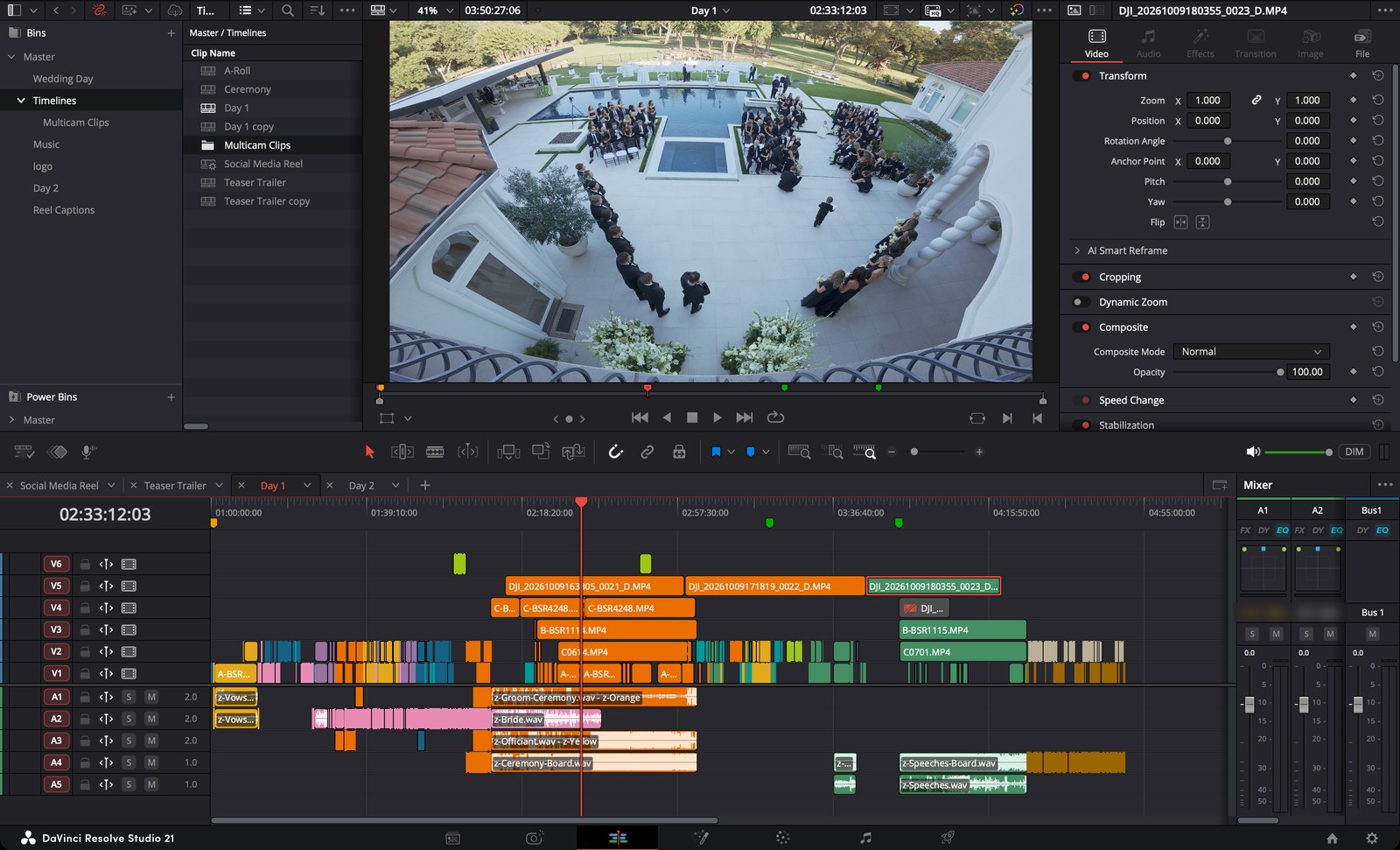
Why I built it
I was hired to film a two-day wedding. On the second day, they'd show a video of the surprise wedding from the day before, so I had one night to turn a full day of footage into a three and a half minute film.
Having Claude sync the footage gave me about a two-hour head start on the creative part. With the time I had, that meant a better edit than I would have made otherwise. It also meant two more hours of sleep.
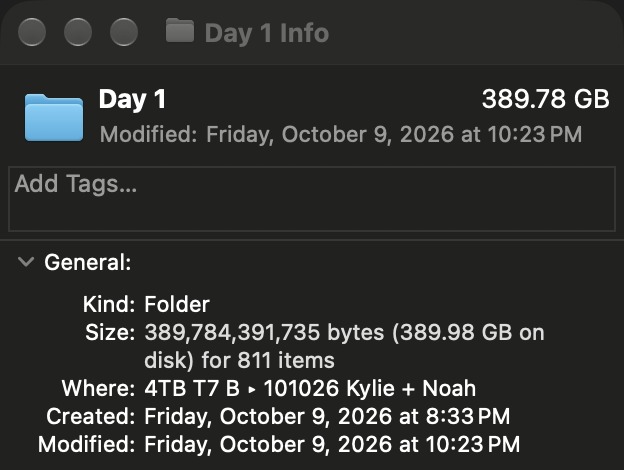
That first day was 792 camera clips from six cameras plus 16 audio recordings, about 390 GB of footage.
What it does
- Finds everything in the folder: camera clips and audio recordings, lavs, recorders, the DJ board.
- Syncs by timecode when you shot with a sync box like Tentacle Sync or Deity. It reads the timecode tone off the camera audio and lines it up with the recorders' timecode.
- Syncs by sound when you didn't. It doesn't matter if one camera's clock is an hour off and a recorder is 14 minutes off. It matches what each file hears and works out every clock.
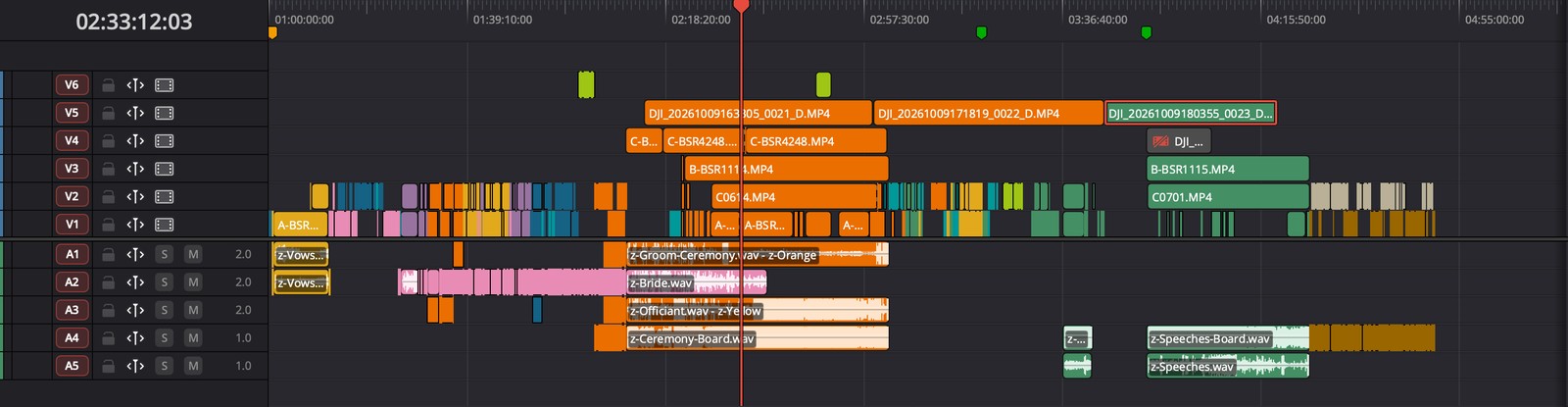
- Builds a new Resolve timeline: one video track per camera, recorders on the audio tracks, and the stretches where no camera was rolling taken out. Your existing timelines are never touched.
- Color-codes the clips by camera or by part of the day. It reads recording names like vows, first look, ceremony, speeches and DJ.
- Everything stays on your Mac. The audio matching, the timecode reading and the timeline build all run locally. Your footage is never uploaded anywhere to sync it.
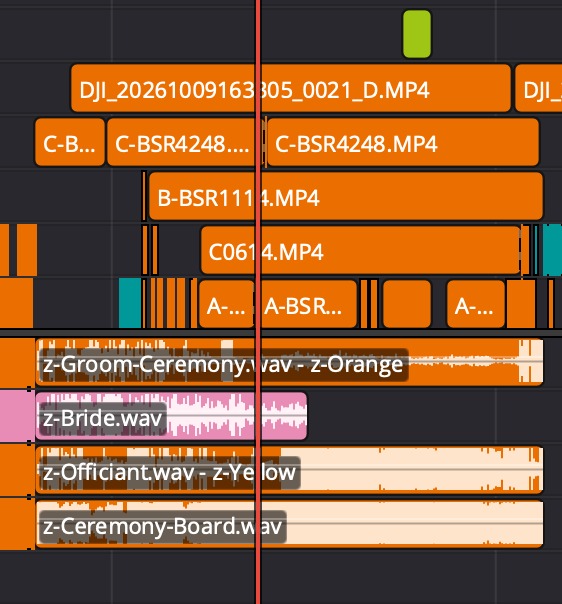
I checked it against syncs I'd done by hand on my own shoots. Clips that match by sound land within a frame, and with timecode they land within a millisecond. After the first day, I had it sync Day 2 of the same wedding too, and that synced successfully as well.
A PluralEyes alternative for Resolve
PluralEyes was the go-to for this for years. Maxon put it into limited maintenance mode in 2023 and points people to the sync built into Resolve, Premiere and Final Cut. That built-in sync is fine for a few clips at a time. A full shoot day is different: hundreds of clips, clocks that are way off, a handful of recorders. This handles the whole day and builds the timeline for you.
How to do the same
You need a Mac and DaVinci Resolve Studio. Building the timeline from outside Resolve is a Studio feature. In Resolve, set Preferences → System → General → External scripting using to Local, then restart it.
The easiest way is with Claude Code, so you don't have to touch the setup yourself:
- Open Resolve Studio with a project.
- In Claude Code, say: "Set up https://github.com/brianrossen/resolve-multicam-sync and sync everything in my Shoot Day folder into Resolve."
- Claude installs what it needs and does a dry run first. It reads you the summary: each camera, how far its clock was off, how many clips it locked by sound.
- Then it builds the timeline. Spot-check one moment with several angles, like a clap, a kiss or a toast.
You can keep talking to it in plain English: "keep the camera audio only where there's no mic," or "keep the drone clips lime color all day." If you'd rather run it yourself in Terminal, the setup steps are in the README.
It can also write an FCPXML file for free Resolve, Premiere and Final Cut instead. I'm still testing that route, so for now I'd use it with Resolve Studio.
Questions
Do I need timecode? No. It syncs by sound, as long as at least one camera or recorder hears what the others hear. Timecode just makes it exact.
Does my footage get uploaded anywhere? No. The syncing runs locally on your Mac, and your footage stays on your own drives the whole time.
Does it work on the Claude Pro plan, or do I need Max? The syncing itself runs on your Mac inside the tool, not in Claude, so matching hundreds of clips barely touches your Claude usage. Claude sets it up, runs it and reads you the summary. It used a small fraction of my weekly limit on the $100-a-month Max plan, so Pro should be plenty to try it.
Is the AI editing my film? No. It syncs and organizes. Every creative choice is still yours.
What does it cost? Nothing. It's open source under the MIT license.
For wedding videographers
The sync tool is for after the wedding. For the day itself I built Timeline by BSR, an iPhone app for wedding filmmakers and photographers. It turns the planner's timeline into a clean shooting schedule: just the moments you film, with what's next counting down on your Lock Screen, plus golden hour, sunset and every vendor's Instagram handle ready to tag. It's in App Store review now.
← All posts